Global Options
The Global Options page contains key properties that guide global Cloud Administration Tools administration.
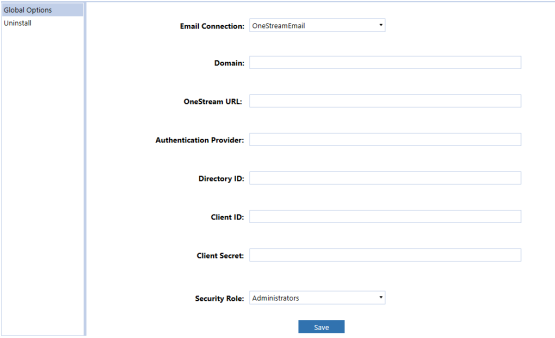
Email Connection
For more details on email database connections, see the Installation and Configuration Guide. This setting can be changed by the administrator to send emails from a different connection.
Domain
The Azure Active Directory (Azure AD) domain name is @mydomain.onestreamcloud.com and should not be modified with the exception of a direction by Support.
OneStream URL
The Azure URL of the customer environment is https://xxxxxx.onestreamcloud.com/onestreamweb and should not be modified with the exception of a direction by Support.
Authentication Provider
The name of the authentication provider service for the OneStream Framework database in this server environment. Do not modify this setting unless directed to do so by Support.
Directory ID
This directory ID is the Azure Tenant ID.
Client ID
The client ID is configured by the OneStream Cloud Services Team. This encrypted key is masked and will display as a blank entry after the initial setup. Do not modify this setting unless directed to do so by Support.
Client Secret
The client secret is used to authenticate with the Azure Active Directory service.
Security Role
Since security is governed at the global level, it is the assignment of the user group to the Security Role that determines who will be global Cloud Administration Tools Administrators. This group is granted access to all areas of Cloud Administration Tools and are the only users who can see the Settings Page icon.


