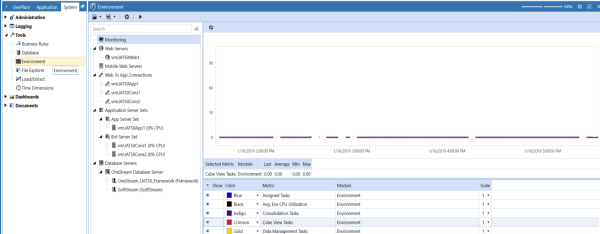
This section can be used to check the overall health of the environment, which contains Web Servers, Mobile Web Servers, Application Server Sets and Database Servers. This will check the connection status as well as the configuration.
The Environment page is designed to give both IT and power business users a way to manage and optimize their applications and the environment that is running under. Using the Environment page, the user can monitor the environment, isolate bottlenecks, look at properties and configuration changes, and scale in/out application servers and database resources if needed. They can also customize what data to collect in log files, save collection metrics files, and replay collected performance data in many ways.
To access the Environment page, select System > Tools > Environment.
NOTE: The Environment page is only accessible via the OneStream Windows App.