System Dashboards are predefined dashboard workspaces that provide information about the system such as the server, application and security. To access these System Dashboards, navigate to Dashboards under the System Tab.
The RPTS Dashboard displays in the Standard System Reports (RPTS) Dashboard Maintenance Unit.
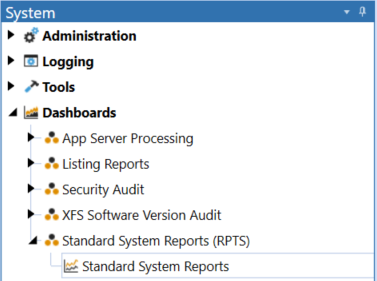
Select the new Standard System Reports (RPTS) Dashboard and click the Show Reporting Page Button -  to initialize the Dashboard. The new Standard System Reports list will be displayed.
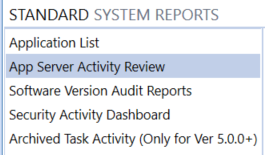
Select the Report to run. The App Server Activity Review and the Software Version Audit Reports will run for the selected number of days for the audit review.
NOTE: Archived Task Activity (Only for Ver 5.0.0+) only works in OneStream application environments of version 5.0.0 or higher.


