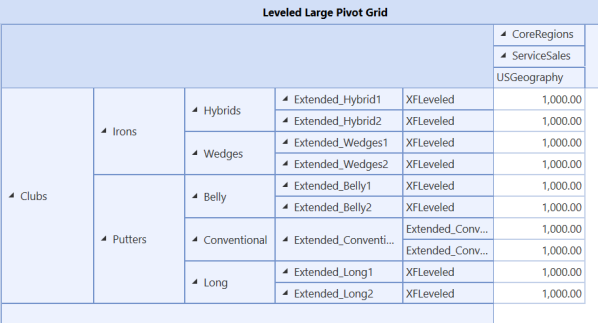
This example uses the leveled hierarchy in the Large Data Pivot Grid. The table has a hierarchical view.
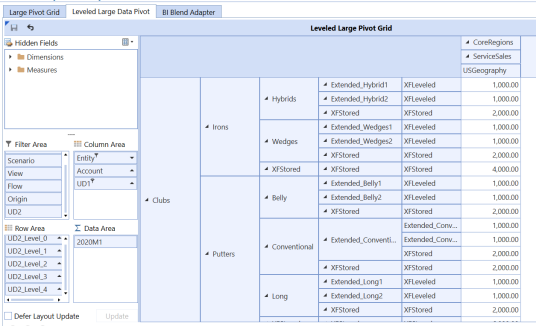
Notice in this example that the items labeled XFStored indicate that the table is being leveled to create leveled columns based on the maximum depth of hierarchy from the BI Blend data.
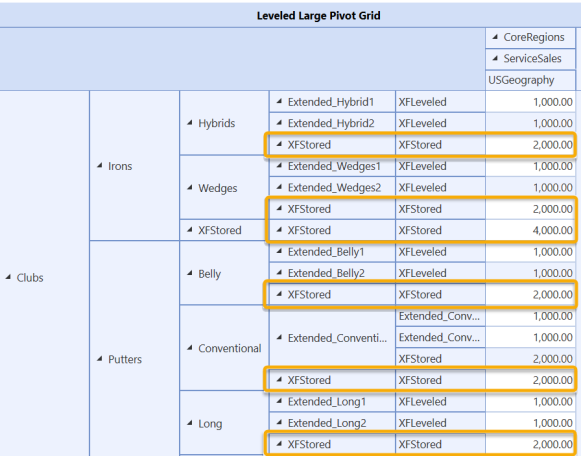
You can use the IsBaseBIBlend parameter to show where actual data records exist in the table. Complete the following steps:
-
In the leveled Large Pivot Grid, right-click in the row and select Show Prefilter to display the PivotGrid Prefilter dialog box.
-
Click the +.
-
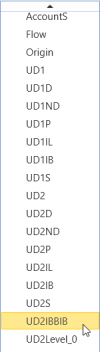
Click Rt and scroll through the drop-down menu to select UD2IBBIB.
-
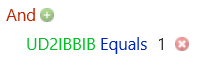
Click <enter a value> and enter 1. The equation is UD21BBIB Equals 1.
-
Click the OK button. After applying IsBaseBIBlend, the leveled table now changes to show only the rows that contain actual data (XFLeveled), and it has removed the rows that were added for leveling (XFStored).
-
Click the Save button to save your changes.


