You can use Alias strings with the XFString function to display page captions in another designated culture.
Example: On the Application tab, select Dashboards under the Presentation. In the Dashboard Maintenance Units section, we selected “Test Maint Unit” group.
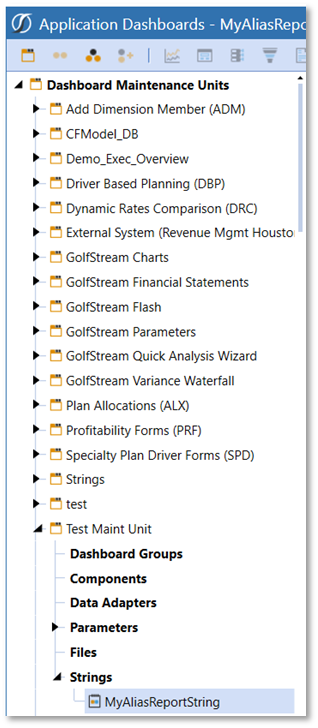
Under the Strings section we used the “Create String” button:
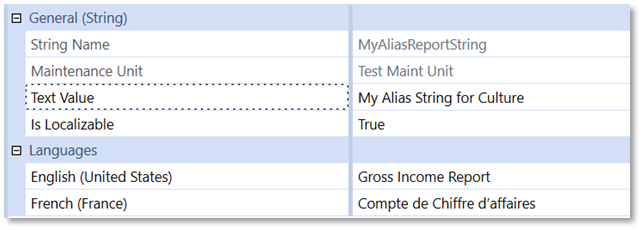
This adds a new String called MyAliasReportingString. This will be used in our Cube View example to display the Page Caption of the Cube View report in multiple languages based on the User’s default culture setting and via a parameter to prompt the user for a specific culture to render that respective language.
Here are the languages in the string:
English (United States): Gross Income Report
French (France): Compte de Chiffre d’affaires
From the General (String), set the Is Localizable value to True
On the Designer tab under Cube View > Common > General, go to the Page Caption section. This section contains an updated with an XFString function to call a string from the Dashboard Maintenance Units.
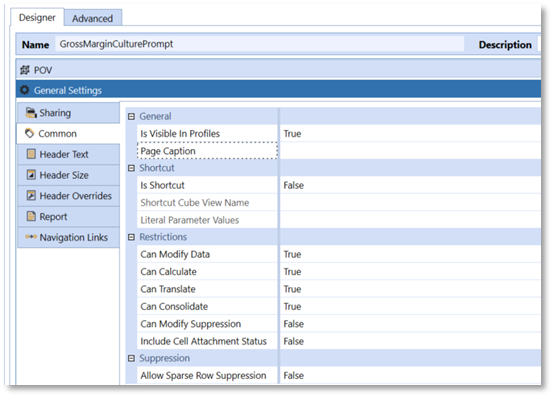
Type in “XFString(MyAliasReportString, Culture=|!Enter Culture!|)” to the Page Caption field and select the Save button. This formula will call the String, “MyAliasReportString.” 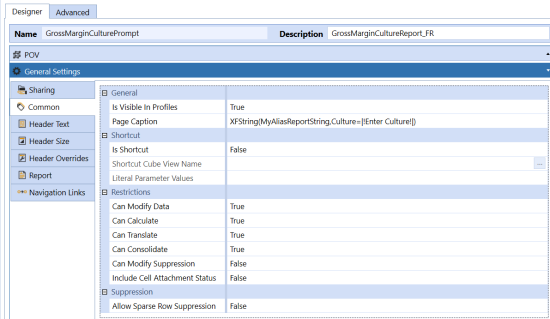
Using a parameter within the Page Caption in this instance will prompt the user to type in the culture of the language they wish the report caption to render.
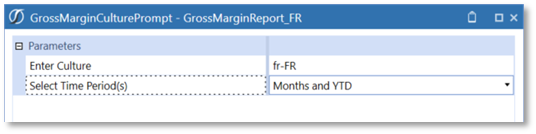
The results shown below reflect the page caption of “Gross Income Report” in French:
“Compte de Chiffre d’affaires”


