The Database Server Connections provides the Administrator with greater visibility into the structure of their environment. Additionally, the administrator can quickly and easily establish database connections to support their model's design requirements.
An IIS restart is not required to capture changes as they are automatically applied every two minutes. Saved changes are tracked via the Audit tab, which is available for each server configuration
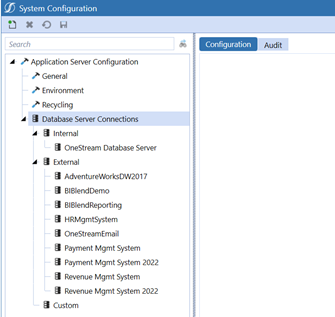
Database Server Connections
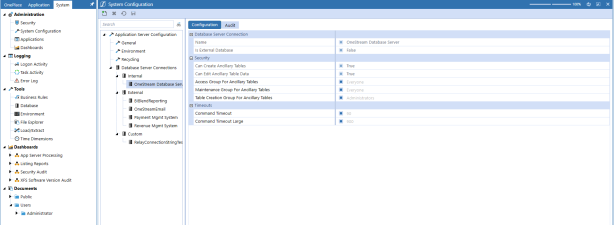
Internal Menu
Configure Database Server Connection, Security, and Timeouts settings from this menu.
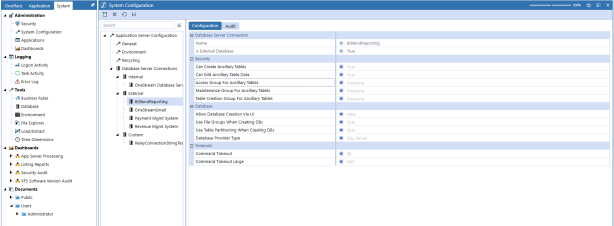
External Menu
Configure Database Server Connection, Security, Database, and Timeouts settings from this menu.
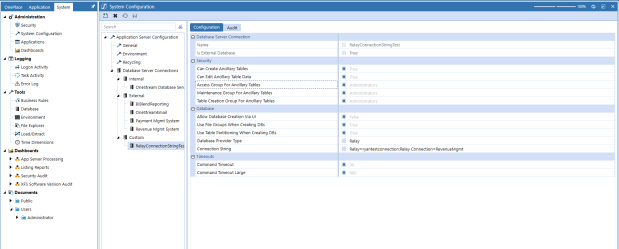
Custom
Configure Database Server Connection, Security, Database, and Timeouts settings from this menu.
External only and the Connection String will be visible without displaying password and Customer can Edit.
-
Connection String will allow for Edits
-
Connection String will display “?” where password is used
-
Connection String can be modified without changing password and saved with “?” not overriding original password
-
Connection String password can be modified and upon save will display “?” in UI
-
Connections Strings using the following will be masked in the UI: pwd; pass; password
-
All others will display password and need to be addressed separately – majority of connection strings password will be handled above
-
Pre-existing External Connections, when moving over to Customer Connections, should use the previous name to avoid breaking any connections with Task Scheduler, Business Rules, etc.


