To access the global options page, click Settings  in the bottom left corner of the Home page or the Version page.
Global options include:
Global Settings
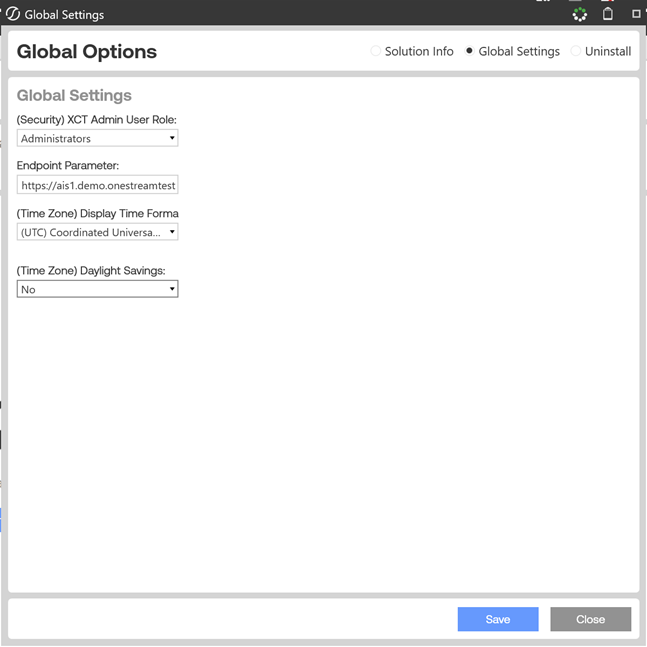
(Security) XCT Admin User Role: Select who can run an Xperiflow engine upgrade and access the global settings content. The default is Administrators.
Endpoint Parameter: Predefined endpoint to access the application.
NOTE: Do not make changes to this value unless instructed to do so.
(Time Zone) Display Time Format: Custom time zone option. The default is (UTC) Coordinated Universal Time.
(Time Zone) Daylight Savings: Defines whether Daylight Savings time is observed. The value automatically populates based on the selected time zone. The default is No.
Uninstall
There are two uninstall options:
-
Uninstall UI removes Xperiflow Cloud Tools, including related dashboards and business rules but leaves the database and related tables in place.
Choose this option if you want to accept a Xperiflow Cloud Tools update without removing data tables.
-
Uninstall Full removes all related data tables, data, Xperiflow Cloud Tools dashboards, and business rules.
Choose this option to completely remove Xperiflow Cloud Tools or to perform an upgrade that is so significant in its changes to the data tables that this method is required.
CAUTION: Uninstall procedures are irreversible.


