Security
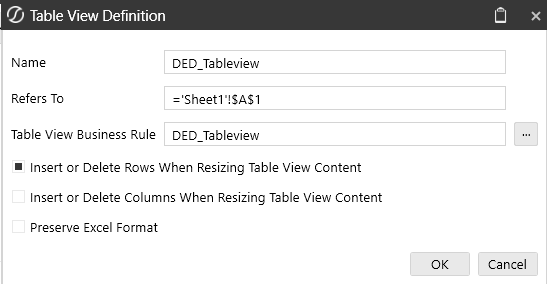
Data level, or Table level, security is incorporated within the Business Rule script. Various BRAPI functions can be conditionally included in the script to control the read and write functionality each user will encounter when presented with the Table View. Using Table View Name arguments in the Business Rule, rather than relying on the default Business Rule Name, will also add an additional level of security for related to the tables.
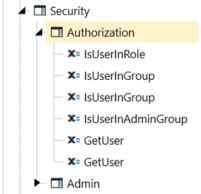
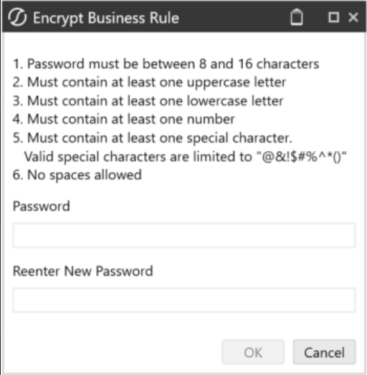
Business Rule level security should also be utilized to restrict access to those who can edit and modify the underlying Table View Business Rule. This can be done by using Business Rule Encryption, which requires specific a user security role. Business Rule Encryption applies password protection to any Business Rule it is applied to.
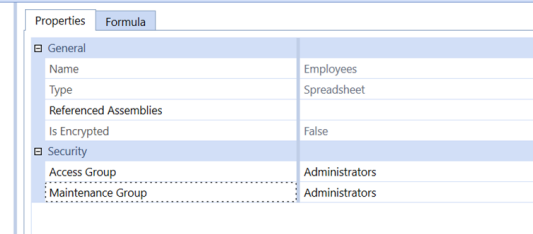
Additionally, the Business Rules for Table Views are stored in the Spreadsheet category. To control access to user’s access to retrieving the Table Views in their Application Spreadsheet, the Access Group on each rule should exclude any user who is not a designer.
The Table View function should be called using a condition for the Spreadsheet Table View Name. The will control all Table View functionality by a defined name, rather than through the business rule alone.
Case Is = SpreadsheetFunctionType.GetTableView
    If args.TableViewName = "DED_TableView"
            Return GetPLPRegisterUsingRegisterID(si, args.Cust)
    End If