CAUTION: If you rename a parameter, you must re-assign it to all objects because the new name is not automatically applied. See Identify parameter assignments. Do not use special characters and dashes (-) in names.
-
Click Application > Presentation > Dashboards.
-
Click the dashboard maintenance unit that uses the parameter, and then Parameters.
-
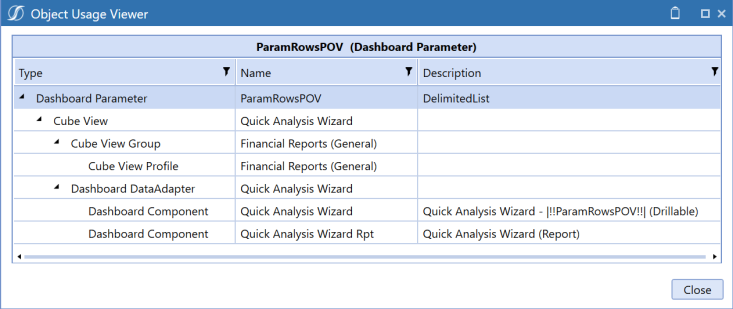
Click the parameter, then Show Objects That Reference The Selected Item to identify the objects using the parameter. You must assign the renamed parameter to these objects. For example:
-
Click Close.
-
Click the parameter, then Rename and enter a different name.
-
Click Save.


