-
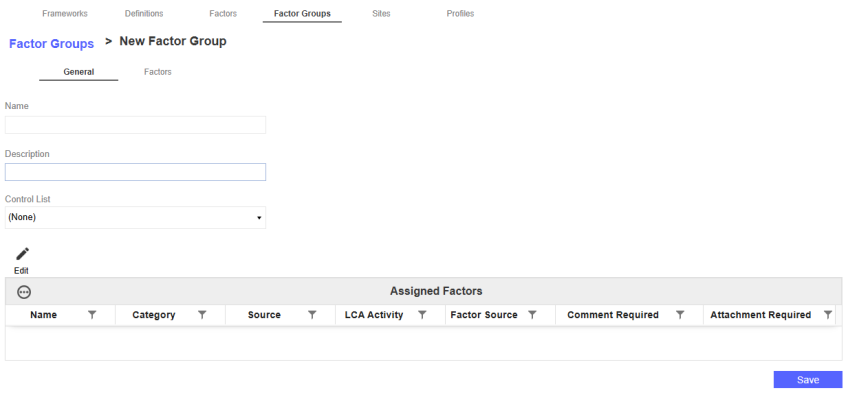
Click the New button to navigate to the New Factor Group page.
-
In the General tab, enter a factor group name and description. From the Control List drop-down menu, select a control list to assign to the factor group. This is optional. The control list will be applied to every factor in that factor group. See Control Lists.
-
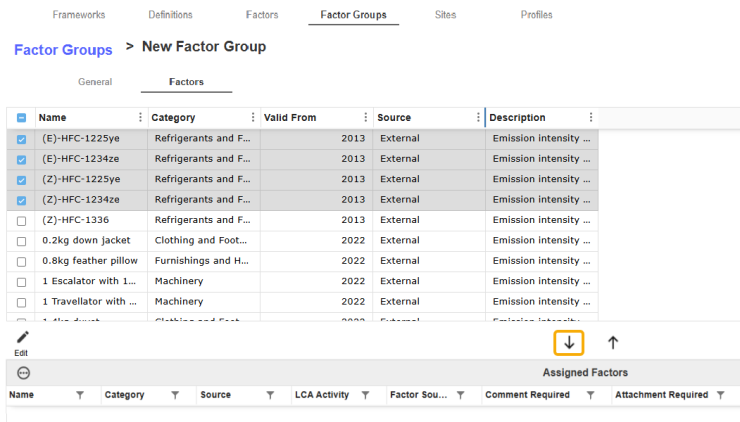
To add a factor to the new factor group, select the Factors tab. The top grid displays a grouping of factors by activity ID and category. In the grid of available factors, select the checkbox next to the factor you want to assign. Click the Add Factor icon. The factor will now display in the Assigned Factors grid for that factor group.
-
To edit properties from this page, select a factor from the Assigned Factors grid and click the Edit button. See Manage Factor Groups.
-
Click the Save button.

