The Journal Report enables administrators to select a period range and specific fields for inclusion that can be exported in a formatted Excel file. These reports can provide insight into the company's processes by enabling you to analyze and interact with data.
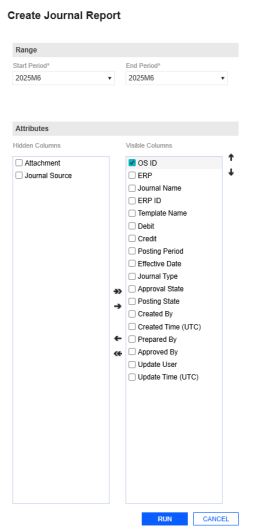
This page has validations that include:
-
[Start Period] is required.
-
[End Period] is required.
-
At least one [Visible Column] must be selected.
-
[Start Period] must be the same as or earlier than [End Period].
Example: The following image is a sample of a Journal Report.

Run Report
-
Go to Journals > Journals.
-
Click the Run Report button.
-
In the Create Journal Report slide-out panel, complete the following Range fields:
-
From the Start and End Period drop-down menus, select your periods.
-
-
Under the Attributes fields, select the desired attributes for the journal.
-
Click each attribute and use the arrow buttons to move them into the Visible Columns area.
TIP: To change the order of fields in the Visible Columns, use the up and down arrows on the right side.
-
-
Once you have selected all your attributes, click the Run button.
-
The JEM_JournalReport_Export.xlsx file is automatically downloaded to your default downloads location.


