You can block or restrict traffic to your Azure relay to only allow certain IP ranges to connect.
-
From the OneStream Windows Application client go to System > Administration >
-
Select IPv4 Whitelist.
-
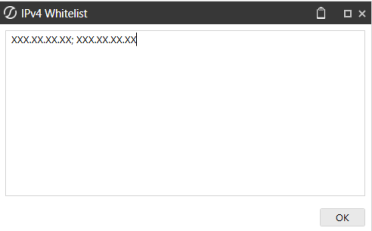
Enter IPv4 compatible IP (XXX.XXX.XXX.XXX) or CIDR addresses (XXX.XXX.XXX.XXX/XX) separated by a semi colon in the IPv4 Whitelist dialog box.
NOTE: IPv6 addresses are not currently supported.
NOTE: Do not include any extra spaces for characters.
-
Restart your Local Gateway Service.

